Key Takeaways
- Built-in wireless charging relies primarily on the universal Qi standard managed by the Wireless Power Consortium, with modern Qi2 bringing magnetic alignment.
- Flagship devices feature native wireless power transmission ranging from 7.5W to 50W+.
- Phones lacking native hardware can be easily upgraded using ultra-thin Qi receiver patches plugged into USB-C or Lightning ports.
- While wireless charging offers unmatched desktop and nightstand convenience, it generates minor waste heat and transfers energy slower than direct wired cables.
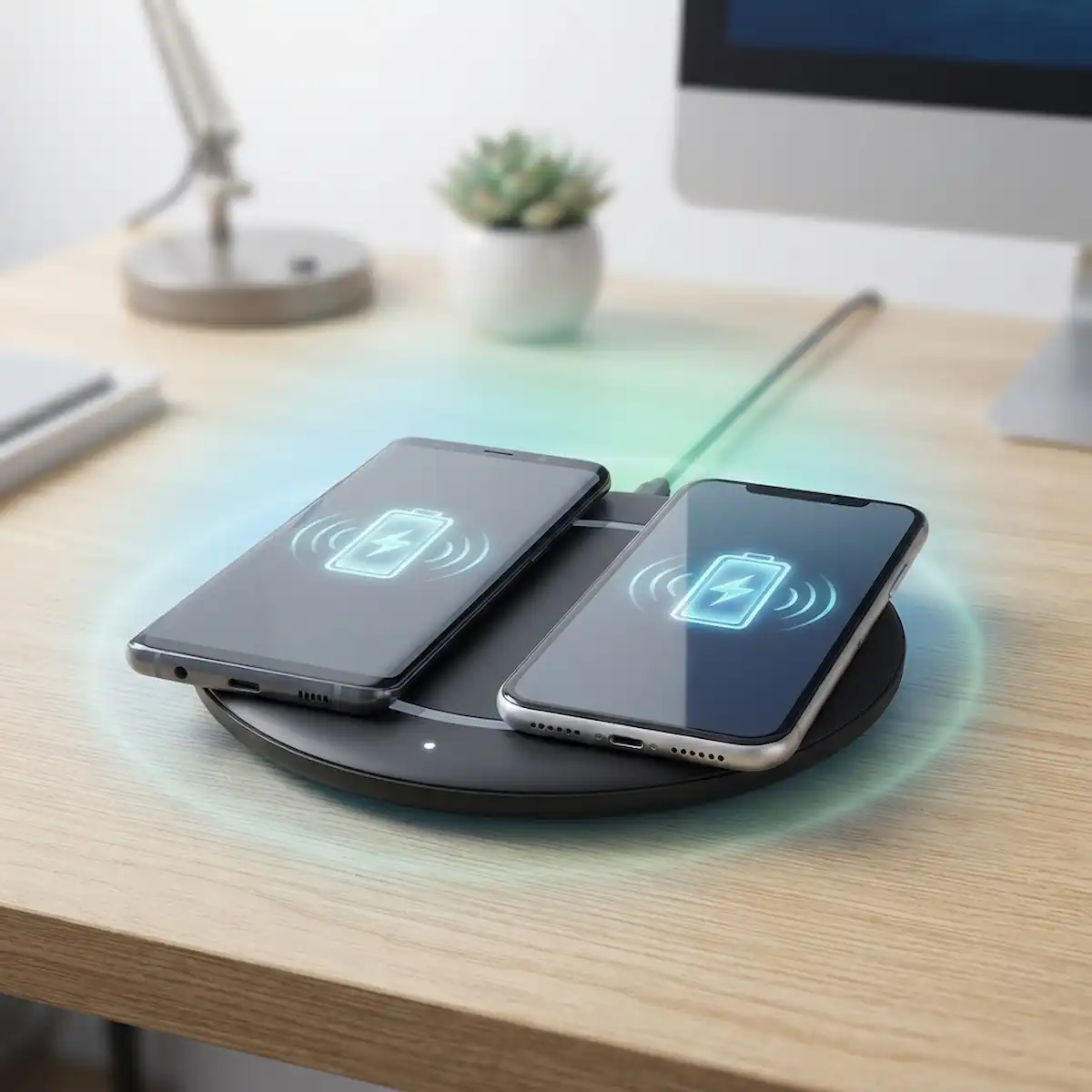
- Real-world use cases span from clutter-free office desks and bedside tables to secure dashboard mounts in vehicles.
Which smartphones with wireless charging are available on the market today?
Wireless power transfer is integrated into nearly all premium and upper mid-range smartphones currently manufactured by major global brands. The overwhelming majority of modern flagship devices feature built-in Qi or Qi2 receiver coils underneath their glass or plastic backs, allowing them to draw power electromagnetically from compatible charging pads.
Upgrading an old daily driver a few years back specifically because of fraying USB cables in the dark completely changed how a bedside table looks. Instead of a rat’s nest of braided cords, a single flat puck handles everything overnight.
Major manufacturers treat inductive power transmission as a standard premium feature. Apple embeds MagSafe and Qi2 arrays into its modern smartphone lineups, while Samsung brings fast inductive charging to its Galaxy S and Galaxy Z series. Google follows suit with its Pixel flagship family, and brands like OnePlus and Xiaomi push proprietary high-wattage charging coils that can blast fifty watts or more into compatible proprietary stands.
| Brand | Series / Model Family | Qi / Qi2 Support | Maximum Wireless Wattage |
| Apple | iPhone 12 through Latest Flagships | Yes (MagSafe / Qi2) | Up to 25W |
| Samsung | Galaxy S21 through Galaxy S25 Series | Yes (Fast Wireless 2.0) | Up to 15W |
| Pixel 6 through Pixel 9 Series | Yes (Pixel Stand Compatible) | Up to 23W | |
| OnePlus | OnePlus 10 Pro and Newer Flagships | Yes (AirVOOC) | Up to 50W |
| Motorola | Edge and Razr Ultra Lineups | Yes (TurboPower Wireless) | Up to 15W |
For users shopping on a tight budget, finding smartphones with wireless charging requires a bit more scrutiny. Mid-range and entry-level handsets often omit the internal copper induction coil to shave down manufacturing costs, forcing buyers to choose between wired-only budget models or stepping up to premium tiers.
When evaluating these options, keeping track of which smartphones with wireless charging actually support the newer Qi2 magnetic profile helps avoid buying outdated hardware. Consumers searching for smartphones with wireless charging often overlook that standard speeds differ drastically from high-wattage proprietary alternatives. Examining how smartphones with wireless charging perform in daily use reveals why many buyers refuse to go back to cables.
What are the actual pros and cons of wireless charging?
Inductive energy transfer eliminates physical connector wear and tear, but it introduces trade-offs in thermal efficiency and raw charging speed.
Weighing daily benefits against technical drawbacks helps clarify whether cutting the cord fits your lifestyle. On the positive side, dropping a phone onto a flat desk pad or car mount removes the repetitive friction of hunting for a cable port in the dark. It also preserves the physical USB port from lint accumulation and mechanical stress, which is a major bonus if you tend to keep your devices for four or five years.
However, physics introduces real limitations. Energy transferred via electromagnetic induction loses efficiency through heat dissipation. Charging wirelessly generates more thermal energy than plugging straight into a wall brick, which can accelerate long-term battery chemical aging if your phone sits on a cheap, unventilated pad all night. Furthermore, standard wireless speeds hover around 7.5W to 15W, whereas wired cables easily push 45W, 65W, or higher for rapid top-ups.
| Feature / Metric | Wired Charging | Wireless Charging |
| Port Wear & Tear | High risk of port loosening or lint buildup | Zero physical wear on the charging port |
| Energy Efficiency | High (approx. 80-90% direct transfer) | Lower (approx. 60-75% due to heat loss) |
| Charging Speed | Up to 100W+ on modern fast chargers | Typically capped between 7.5W and 50W |
| Ergonomic Convenience | Requires manual plug insertion | Drop-and-go placement on desk or stand |
| Thermal Management | Cool to moderate operating temperatures | Noticeable warmth during active charging |
When you balance these factors, inductive power shines brightest in stationary environments where speed matters less than convenience—like an office desk or a nightstand. Understanding these mechanics is essential when considering smartphones with wireless charging for a permanent office setup. Anyone researching smartphones with wireless charging should weigh these thermal trade-offs carefully before outfitting every room in the house with pads.
How can I add wireless charging to a phone that doesn’t have it?
Older devices and budget-friendly handsets lacking native hardware coils can easily be retrofitted with external receiver patches that plug directly into the data port.
If you are rocking a solid older device that still handles daily tasks smoothly but lacks factory induction capabilities, you do not need to buy a brand-new handset just to cut the cord. Third-party manufacturers produce ultra-thin receiver cards equipped with a flexible ribbon cable ending in a USB Type-C or Lightning connector.
The installation process is straightforward. You slide the tiny induction coil sheet against the back of your phone, wrap the short ribbon cable around the bottom edge, plug it securely into the data port, and slip a protective case over the entire assembly to lock everything in place. Once housed inside a slim TPU or silicone case, the patch remains completely hidden from view, transforming any standard handset into a device capable of drawing power from induction pads.
For older models that missed out on factory configurations, turning non-compatible hardware into smartphones with wireless charging is surprisingly inexpensive. Many tech enthusiasts modify secondary devices into pseudo-smartphones with wireless charging just to test out bedside desk pucks without buying a brand-new flagship.
How do I set up a wireless charging receiver patch on an Android phone?
Retrofitting an Android device requires matching the correct USB port orientation and securing the receiver patch beneath a protective case.
Because Android manufacturers place USB-C ports with varying pin orientations, you must verify whether your specific phone model requires a “narrow-edge up” or “wide-edge up” receiver patch. Buying the wrong variant means the ribbon cable will twist awkwardly, putting undue stress on the port solder joints.
Follow these steps to install an external wireless receiver on an Android device:
- Remove your current phone case and wipe the back glass or plastic clean with a microfiber cloth.
- Inspect your phone’s USB-C port orientation to ensure you purchase a receiver patch with the matching connector alignment.
- Plug the receiver’s USB-C connector firmly into the phone’s bottom port.
- Lay the thin copper induction coil flat against the center-to-lower backside of the phone chassis.
- Carefully slide a flexible silicone or TPU case over the phone to pin the receiver coil flat against the back panel without bending the ribbon cable harshly.
- Place the newly retrofitted phone onto any standard Qi-certified charging pad to verify power delivery and check that the battery indicator illuminates.
This simple hardware modification breathes new life into older hardware, letting you enjoy modern desktop power stations without upgrading your entire device stack. Successfully converting an older Android device gives you the same daily convenience found in factory-built smartphones with wireless charging at a fraction of the cost.
How do I add wireless charging capability to an iPhone?
Apple devices with Lightning ports can use specialized inductive adapter cards that tuck neatly behind a mag-safe or standard silicone case.
While recent Apple flagships feature built-in inductive arrays, older models like the iPhone 7, 8, or various SE editions lack native magnetic power coils. Fixing this limitation takes less than two minutes once you source a reliable MFi-certified or high-grade third-party Lightning receiver patch.
Follow these steps to upgrade an older iPhone model:
- Purchase a slim Lightning wireless receiver card designed specifically for your iPhone form factor.
- Take off your existing phone case and plug the Lightning connector into the bottom port of the phone.
- Fold the flexible circuit board upward so the flat copper induction pad rests centered against the rear apple logo or mid-back area.
- Slide a snug, non-metal protective case over the phone to hold the pad securely against the chassis.
- Set the phone down on a compatible wireless charging pad, ensuring the internal coil aligns with the transmitter center.
Keep in mind that adding an external receiver occupies your physical data port, meaning you will need to unplug the receiver case insert whenever you want to plug into a wired computer sync cable or auxiliary audio adapter. Doing this lets legacy Apple users experience the streamlined utility typical of modern smartphones with wireless charging.
What are the best everyday use cases for wireless charging?
Inductive power delivery excels in stationary workflows, vehicle navigation setups, and minimalist desktop environments where constant plugging and unplugging becomes tedious.
Different environments demand different power solutions. Understanding where wireless power truly shines helps you optimize your daily routine and eliminate desktop clutter.
Office and workspace setups benefit immensely from upright angled stands. Placing your phone on a vertical desk stand keeps notifications visible at a glance while trickling a steady charge into the battery throughout the workday, preventing afternoon battery anxiety without tethering your fingers to a dangling cord.
| Use Case Environment | Primary Benefit | Recommended Accessory Type |
| Bedside Nightstand | Eliminates fumbling for cords in total darkness | Weighted flat charging puck or dock |
| Office Desk Workstation | Keeps screen visible while maintaining battery level | Upright dual-coil desktop stand |
| Vehicle Dashboard | One-handed magnetic dock-and-charge placement | Qi2 or MagSafe vent/dash mount |
| Coffee Shop / Travel | Reduces packed cable tangles in travel bags | Compact foldable magnetic travel pad |
In automobiles, magnetic alignment mounts keep devices secure across rough potholes while instantly initiating navigation power without requiring two-handed cable acrobatics. Finding reliable smartphones with wireless charging for car dashboards ensures GPS navigation runs continuously without draining internal reserves.
Frequently Asked Questions
Can wireless charging damage my phone battery?
Modern smartphones feature intelligent power management chips that regulate current flow and throttle voltage as the battery approaches one hundred percent capacity. While wireless charging generates slightly more ambient heat than wired charging, quality chargers with foreign object detection and thermal throttling pose no structural threat to modern lithium-ion batteries.
Do thick phone cases block wireless charging?
Yes, exceptionally thick rugged cases, wallet folios containing metal plates, or cardholders can disrupt the electromagnetic field between the charger and the internal coil. For reliable power transfer, stick to slim cases under three millimeters thick made of plastic, silicone, or TPU without metallic backing elements.
Can I fast charge wirelessly?
Wireless fast charging is fully supported by modern standards, provided your wall power brick, charging pad, and phone all support matching high-wattage profiles (such as 15W Qi2 or proprietary 50W stands). However, wired charging remains significantly faster and more energy-efficient overall.
Is Qi2 compatible with older phones?
Qi2 backward compatibility ensures that older Qi-enabled devices can physically rest on Qi2 magnetic chargers and draw standard power, though the magnetic snap alignment feature only locks securely onto phones with built-in magnetic arrays or specialized magnetic cases.
Additional Helpful Information
REad more about battery rapid charging – Ultimate Guide to Modern Phone Battery Life and Rapid Charging Efficiency