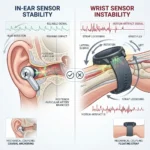

Key Takeaways
- Traditional silicone sealing tips create pneumatic pressure and occlude the ear canal, causing localized tissue fatigue and inflammation during continuous multi-hour use.
- Open ear smart design utilizes directional air conduction or bone vibration, resting outside the concha or tragus to preserve natural situational awareness and eliminate mechanical canal pressure.
- Acoustic leakage in open designs is mitigated through precision beamforming micro-transducers that project sound waves directly toward the tympanic membrane.
- Battery architecture in open-ear form factors requires larger external battery cells or dual-module housings to offset the power draw of continuous ambient noise-filtering microphones.
- Seamless multi-platform integration on both Android and iPhone allows hands-free voice assistant invocation without compromising spatial environmental awareness.
Understanding Open Ear Smart Design and Why Form Factor Dictates Daily Comfort
Open ear smart design represents a foundational shift away from occlusive acoustic engineering toward ambient-aware audio architecture that integrates naturally into human anatomy without sealing the ear canal. Spending eight or more hours a day interacting with digital assistants, handling voice calls, and listening to contextual notifications with traditional in-ear buds means dealing with silicone or memory foam tips that trap moisture, alter inner ear pressure, and compress delicate cartilage. This physical intrusion triggers a biological response known as contact fatigue, leading to soreness, localized inflammation, and microbial buildup within the canal. By contrast, open ear smart design leaves the ear canal completely unblocked, allowing free air circulation while utilizing directional acoustic transducers or localized bone conduction pads to transmit high-definition speech and media directly to the inner ear. Industry data indicates that continuous occlusion reduces natural skin respiration rates inside the ear canal by up to forty percent within two hours of insertion, whereas open architectures maintain baseline thermal and moisture equilibrium throughout a standard workday. For a deeper technical dive into acoustic ergonomics, you can explore the research insights hosted at Audio Engineering Society.
Why does open ear smart design change how we experience all-day audio?
Open ear smart design changes how we experience all-day audio by bridging the gap between digital connectivity and physical reality, eliminating the sensory isolation that causes chronic listening fatigue. Traditional in-ear monitors create a closed acoustic chamber that amplifies internal bodily sounds like chewing, breathing, and footsteps—a phenomenon known as the occlusion effect. When artificial intelligence features process voice prompts or stream audio inside a sealed canal, the brain has to work harder to filter out these self-generated artifacts alongside environmental noise. Open ear smart design bypasses this issue entirely by utilizing directed sound fields or clip-on acoustic bridges that float outside the tragus.
Consider what happens during a standard remote work shift involving back-to-back virtual meetings, collaborative brainstorming sessions, and spontaneous voice queries to an on-device digital assistant. With a traditional sealing tip, taking the buds out every ninety minutes to let the ears breathe becomes a mandatory physical necessity. Open-ear architectures, exemplified by hardware like the Bose Open Ear Audio systems or alternative designs covered in industry roundups at SoundGuys, distribute weight evenly across the outer ear helix using flexible titanium-alloy memory wire or ergonomic C-bridge grips. This mechanical distribution prevents pressure hotspots on the antihelix and tragus. Furthermore, ambient environmental sounds blend naturally with synthesized speech or music, creating an augmented hearing experience where digital notifications feel like ambient thoughts rather than intrusive disruptions.
How do open ear acoustic drivers compare to traditional in-ear silicone seals over an eight-hour shift?
Acoustic performance and physical comfort diverge sharply over long operating periods when comparing open architectures to traditional sealing mechanisms. Traditional in-ear designs excel at passive noise isolation by forming an airtight mechanical seal, which physically blocks high-frequency ambient sounds and allows deep bass reproduction through a pressurized acoustic chamber. However, this high isolation comes at a physiological cost. The constant radial pressure exerted by expanding foam or silicone flanges stretches the epithelial lining of the ear canal, compressing nerve endings and restricting blood flow to the surrounding cartilage.
Open ear smart design abandons passive isolation in favor of near-field directional projection and psychoacoustic tuning. Instead of relying on a closed cavity, open-ear drivers use custom-angled directional acoustic transducers that fire sound waves diagonally into the ear opening while utilizing phase cancellation or physical shielding to minimize sound leakage into the surrounding room.
| Feature / Metric | Traditional In-Ear Sealing Tips | Open Ear Smart Design |
| Ear Canal Occlusion | Complete seal (creates pressure chamber) | Completely unblocked (maintains ambient airflow) |
| Average Comfort Threshold | 2 to 3 hours before fatigue or soreness | 8+ hours of continuous, fatigue-free wear |
| Situational Awareness | Low (requires transparency mode processing) | High (direct natural hearing combined with audio) |
| Bass Response Profile | Deep, resonant sub-bass via sealed cavity | Tuned mid-to-high clarity with psychoacoustic bass enhancement |
| Moisture & Heat Buildup | High (traps sweat, increases bacterial risk) | Low (promotes natural evaporation and ventilation) |
| Primary Mechanical Anchor | Silicone/foam flange friction inside ear canal | Ergonomic C-bridge, helix cuff, or ear hook |
Examining this comparison reveals why professionals who rely on voice interfaces for transcription, translation, and workflow automation are migrating away from traditional earbuds. When an audio device is worn continuously from morning coffee until evening shutdown, mechanical comfort outweighs raw sub-bass potency. Additional hardware benchmark analysis is regularly published by technical publications such as The Verge.
What specific hardware engineering challenges drive open ear smart design development?
Engineering an open ear smart design requires solving complex physics problems related to acoustic leakage, directional dispersion, and power efficiency without the benefit of a sealed enclosure. In a closed in-ear bud, sound pressure is contained within a tiny volume, meaning the amplifier requires minimal electrical power to drive the speaker diaphragm to adequate listening volumes. In an open-ear configuration, sound waves escape outward into the open air unless meticulously controlled. To combat this, manufacturers deploy advanced beamforming transducer arrays and asymmetric acoustic dipole designs. These systems project sound energy precisely toward the concha while emitting an out-of-phase sound wave backward, effectively canceling out audio leakage so that coworkers sitting nearby cannot hear phone conversations or media playback.
Battery management presents another hurdle. Because open-ear drivers must push sound across a short physical gap through ambient air rather than directly into a sealed canal, the amplifier demands higher output current to maintain clarity in noisy environments like cafes or open-plan offices. Engineers address this by pairing high-efficiency micro-amplifiers with localized MEMS microphone arrays that dynamically adjust EQ curves based on ambient noise floors. If a passing siren or loud conversation spikes the room noise, the onboard digital signal processor boosts vocal frequencies without distorting the overall output, preserving intelligibility without burning through the lithium-ion cell in under three hours.
How do you configure and optimize open-ear smart devices on Android?
Setting up an open-ear audio device on Android requires navigating Bluetooth settings, configuring spatial audio permissions, and mapping custom gesture controls for voice assistants. Android’s open architecture allows deep integration with notification reading services and real-time translation features, making it ideal for productivity-focused users.
- Step 1: Open the Settings application on your Android device and navigate to Connected Devices or Bluetooth, ensuring Bluetooth is toggled to the active position.
- Step 2: Place your open-ear audio device into pairing mode (usually by holding the physical case button until an LED indicator pulses) and select the device name from the available hardware list.
- Step 3: Install the manufacturer’s companion application from the Google Play Store to unlock advanced equalizer presets and firmware updates.
- Step 4: Navigate to Sound and Vibration within device settings or the companion app to enable high-resolution audio codecs like LDAC, aptX Adaptive, or AAC depending on hardware support.
- Step 5: Configure touch or button gestures to invoke your preferred digital assistant with a single tap or hold, ensuring hands-free operation.
- Step 6: Go to Notifications settings, select App Notifications, and grant permission for your digital assistant to read incoming messages directly through the open-ear drivers without unlocking the phone.
For more deep dives into Android accessibility and peripheral configurations, reference the guides provided at Android Central.
How do you configure and optimize open-ear smart devices on iPhone?
Configuring open-ear hardware within the iOS ecosystem focuses on seamless device handoff, accessibility shortcuts, and headphone safety audio measurements that prevent hearing strain during extended work sessions.
- Step 1: Access the Settings menu on your iPhone and tap Bluetooth to verify that the radio toggle is switched on.
- Step 2: Open the charging case of your open-ear device near the phone, wait for the pairing prompt to populate the iOS screen, and tap Connect.
- Step 3: Download the official hardware companion application from the App Store to register the product, adjust acoustic profiles, and customize spatial audio behavior.
- Step 4: Navigate to Settings, select Accessibility, tap Audio/Visual, and adjust Headphone Accommodations to optimize vocal clarity and frequency response for spoken-word content.
- Step 5: Go to Settings, tap Siri & Search, and enable Listen for “Siri” or configure the side button shortcut to activate voice commands instantly through the open-ear microphone array.
- Step 6: Review Headphone Notifications under Settings > Sounds & Haptics to monitor listening volume levels and ensure compliance with safe auditory exposure guidelines during long shifts.
You can also explore official Apple support resources regarding wireless audio accessories and health parameters at Apple Support.
What real-world use cases benefit most from open ear smart design?
Open ear smart design excels across diverse professional and personal workflows where maintaining situational awareness is just as vital as consuming digital audio. In busy collaborative office spaces, professionals need to participate in impromptu voice chats, video conferences, and audio check-ins without constantly removing or adjusting their gear. Traditional earbuds create an antisocial barrier, muffling coworker queries and causing startled reactions when someone approaches from behind. Open-ear form factors allow the user to hear both the remote meeting participant and the physical colleague standing at their desk simultaneously.
- Active Remote Work and Virtual Collaboration: Seamlessly transition between handling client phone calls, dictating emails through speech-to-text engines, and listening to background focus music while remaining fully approachable to family members or office peers.
- Outdoor Commuting and Urban Navigation: Navigate busy city streets, bicycle lanes, and public transit terminals while receiving turn-by-turn GPS audio directions or listening to language learning lessons, ensuring complete awareness of oncoming traffic, sirens, and pedestrian signals.
- Fitness and Outdoor Athletics: Enjoy running or cycling outdoors without the hazardous sensory deprivation of sealed canal tips, maintaining clear perception of surrounding vehicle movement and environmental cues while streaming workout metrics or coaching prompts.
- Extended Multilingual Communication: Engage in prolonged real-time foreign language translation sessions during international business calls or travel without experiencing the physical ear canal irritation that forces breaks during multi-hour negotiations.
How do you troubleshoot common open-ear connectivity and audio clarity issues?
Even premium open-ear hardware can encounter sporadic synchronization glitches, Bluetooth latency spikes, or perceived acoustic thinness if environmental interference or firmware mismatches occur. Resolving these issues quickly ensures uninterrupted daily productivity.
- Issue: Intermittent Audio Dropouts or Bluetooth Lag.
- Solution: Disconnect secondary paired devices to prevent multipoint audio switching conflicts. Clear the Bluetooth cache on your primary smartphone, forget the device profile entirely, and re-pair the hardware from scratch.
- Issue: Weak Bass Response or Thin Vocal Output.
- Solution: Verify that the flexible acoustic clip or ear hook is positioned correctly along the natural curve of the ear helix. If the driver is floating too far away from the concha opening, bass frequencies will dissipate into the room. Adjust the rotational angle of the clip until the acoustic port aligns directly with the ear canal opening.
- Issue: Microphone Muffling During Voice Calls.
- Solution: Inspect the external MEMS microphone grilles for dust, oil, or debris accumulation from daily handling. Gently clean the microphone ports with a dry, soft-bristled micro-brush to restore clear voice pickup and noise cancellation efficiency.
Frequently Asked Questions About Open Ear Smart Design
Does open-ear audio leak too much sound for quiet office environments?
Modern open ear smart design utilizes precision directional acoustic drivers and phase-inversion principles to contain sound waves within the immediate vicinity of the ear. While someone standing inches away in absolute silence might detect a faint whisper of sound at high volumes, normal office ambient noise easily masks any minor acoustic leakage during standard speech and media playback.
Can open-ear devices damage hearing compared to traditional earbuds?
Open-ear devices are often considered safer for long-term ear health because they do not concentrate high sound pressure levels inside a sealed ear canal cavity. However, listening at excessively high volume levels on any speaker driver can still cause auditory fatigue. The key advantage is that natural ambient sounds blend with the audio, encouraging users to keep listening volumes lower.
Do open-ear smart designs work well for phone calls in windy outdoor settings?
High-end open-ear hardware integrates multi-microphone beamforming arrays equipped with advanced environmental noise cancellation algorithms. While extreme wind gusts can occasionally create turbulence noise across open exterior grilles, software filters effectively isolate and suppress wind interference to maintain clear vocal transmission during outdoor calls.
How durable are flexible C-bridge and memory-wire ear hooks over years of daily wear?
Manufacturers construct open-ear retention mechanisms from high-grade titanium alloys and medical-grade silicone coatings designed to withstand tens of thousands of flex cycles. These materials resist sweat corrosion, UV degradation, and mechanical fatigue, ensuring the hardware maintains its clamping tension and ergonomic fit across years of continuous daily use.
Conclusion
Embracing an open ear smart design transforms how we interact with digital assistants, communication tools, and ambient media throughout demanding daily routines. By eliminating the mechanical pressure, moisture buildup, and social isolation inherent in traditional in-ear sealing tips, open-ear acoustic architectures deliver superior physiological comfort for eight-hour workdays. Whether navigating busy urban environments, collaborating in open-plan offices, or managing continuous voice workflows on mobile devices, transitioning to an open acoustic form factor ensures that digital connectivity enhances human capability without compromising physical well-being.
Additional Helpful Information
- Learn more about smart earbuds – Local Earbud Neural Processing for Noise Cancellation