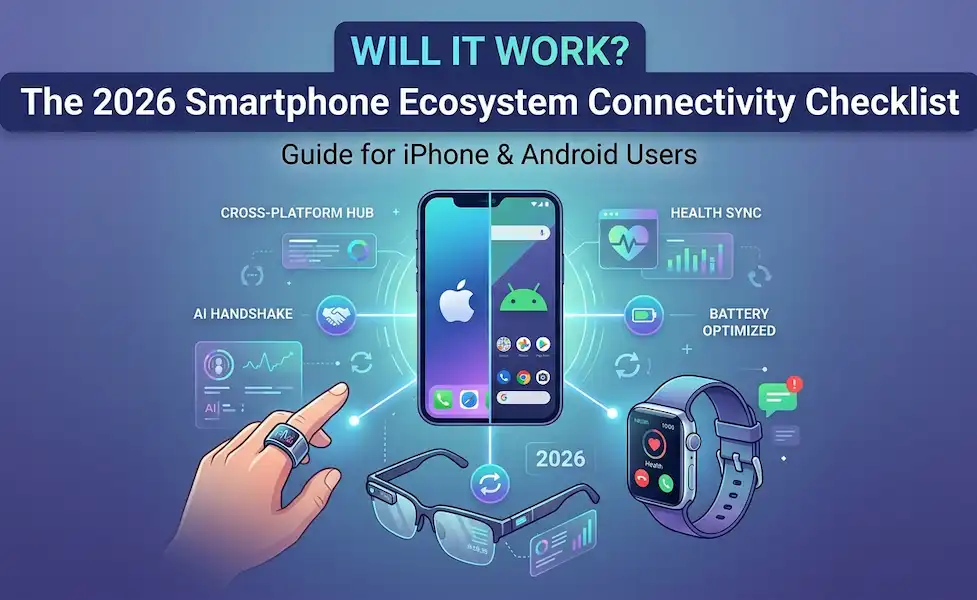
📱 The 2026 Smartphone Ecosystem Connectivity Checklist
A Master Guide for iPhone & Android Users
Before you buy your next wearable, use this smartphone wearable compatibility checklist to ensure it actually “assists” your smartphone rather than fighting it.
1. The “Platform Lock-In” Audit
In 2026, many brands have built “walled gardens.” Check if your wearable is “Platform Neutral” or “Ecosystem Exclusive.”
- [ ] Full Feature Parity: Does the app offer the same features on both iOS and Android? (e.g., Oura and Ultrahuman are generally 1:1; Samsung Galaxy Ring is Android-only).
- [ ] Critical “Missing” Features: If using a cross-brand device, will you lose:
- Find My Device integration?
- Double-tap/Gesture controls for the camera?
- Energy/Readiness scores?
Deep Dive: Read our Comparison of Smart Ring App Features on iPhone vs. Android.
2. The “AI Handshake” Test
2026 is the year of Edge AI. Your smartphone’s processor (Snapdragon 8 Gen 5 or Apple A19) now does the “heavy lifting” for your wearables.
- [ ] On-Device Processing: Does the wearable use your phone’s local AI (e.g., Gemini Nano or Apple Intelligence) for real-time translation and voice notes?
- [ ] Latency Check: For AR glasses, is the “Motion-to-Photon” lag under 20ms? (Higher lag causes “Smartphone Sea-Sickness”).
- [ ] Voice Assistant Conflict: Can you set your glasses to trigger your phone’s assistant (Siri/Google) instead of a proprietary one (Meta AI)?
3. The Power & Data Pipeline
A wearable that kills your phone battery by noon isn’t an assistant—it’s a burden.
- [ ] Bluetooth LE (Low Energy) 5.4+: Ensure both devices support the latest LE protocols to minimize background drain.
- [ ] The “Health Sync” Bridge: Does the wearable write directly to Apple Health or Android Health Connect?
- Tip: If they don’t sync natively, use a bridge app like Health Sync to prevent data silos.
4. Smart Glasses “Display-Out” Check
If you are buying AR glasses, your smartphone’s physical port is the most common failure point.
- [ ] USB-C DP Alt Mode: Does your phone support Video-Out over USB-C? (Standard on iPhone 15+ and flagship Samsung/Pixel; often missing on budget Androids).
- [ ] Wireless Casting: Does the phone support low-latency Miracast or AirPlay for “cable-free” AR?
Technical Guide: See theTop 5 Smart Glasses for The Best Smart Glasses for Android: Top 5 Productivity Picks Android Productivity in 2026.
Additional Helpful Information
Learn more about on-device AI – Hybrid Smartphone Intelligence: The Real Difference Between On-Device and Cloud AI